
Using Squaddle with WhatsApp
Squaddle was built to work with WhatsApp, so it's easy to join a squad, receive and respond to invites, see who else is going, and make payments – without needing to download an app.
When your organiser creates an activity, you'll receive a WhatsApp message with everything you need to respond. Squaddle runs independently of any existing WhatsApp groups, so your squad messages won't get lost in general chat.
Do I have to use WhatsApp?
If you'd prefer, you can use Squaddle with email instead. We'll send the same invitations and alerts to your inbox, and you can respond there or online via your Squaddle account.
Responding to invites with buttons
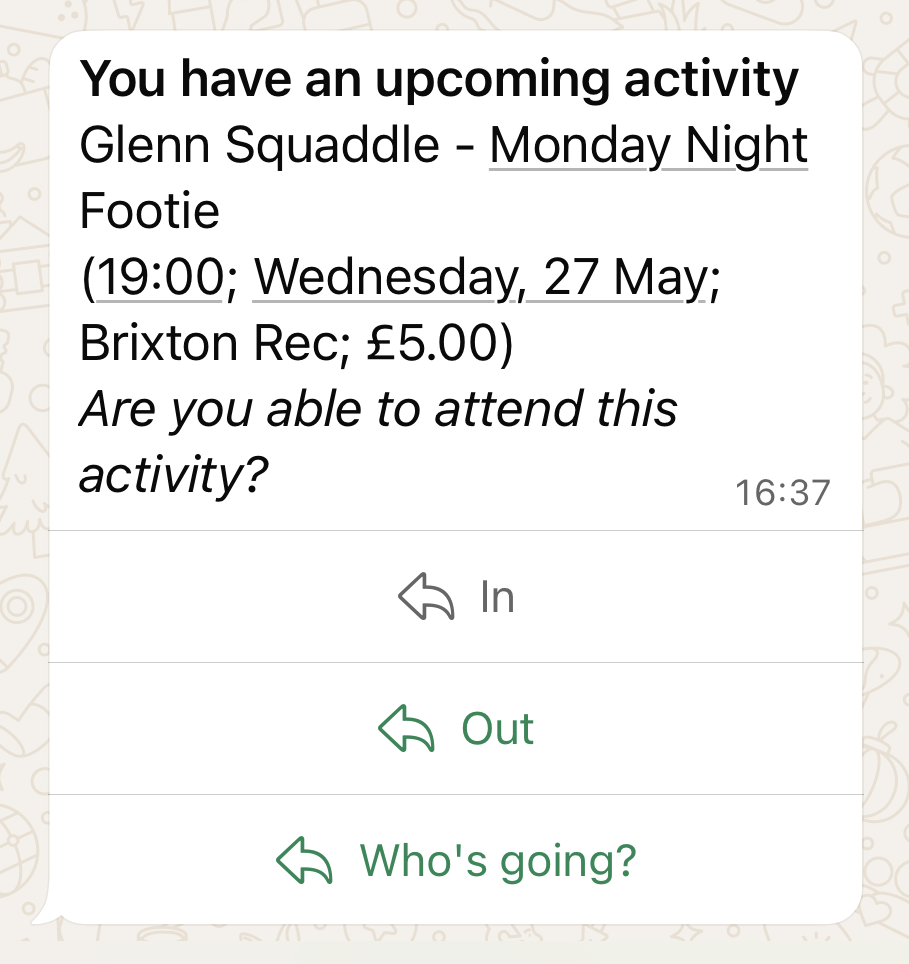
When you're invited to an activity via WhatsApp, your invite will include buttons to respond in one tap:
- 'In' – to confirm your attendance
- 'Out' – to let your squad know you can't make it
- 'Who's going' – to see a list of other squad members who are confirmed to attend
You can change your response at any time before the activity starts. But you should check how your squad manages late dropouts for activities that require payment.
Responding to invites with WhatsApp commands
You can also use simple, text-based commands in the Squaddle WhatsApp chat to manage your availability, check attendance, and settle fees.
- in – to confirm your attendance for an upcoming activity
- out – if you cannot make it to the activity
- who – to see a list of other squad members who are confirmed to attend
- pay – to view your outstanding payments for all squads, to see admin/owner contact details (in case you have a query about the payments) and to pay via secure payment links
- admins – this shows squad admin/owner contact details for all the squads you are a member of
- settings – we'll send you a link to edit your account settings
Commands must be sent as a single word, so "who" will work but "who else is going?" won't. We'll let you know if we don't understand your request.
Are WhatsApp commands case sensitive?
WhatsApp commands aren't case sensitive, so Squaddle will understand if you write "in" or "IN", or "In".
Responding to invites online
You can also respond to invitations, see who else is attending, and make payments directly from your Squaddle account.
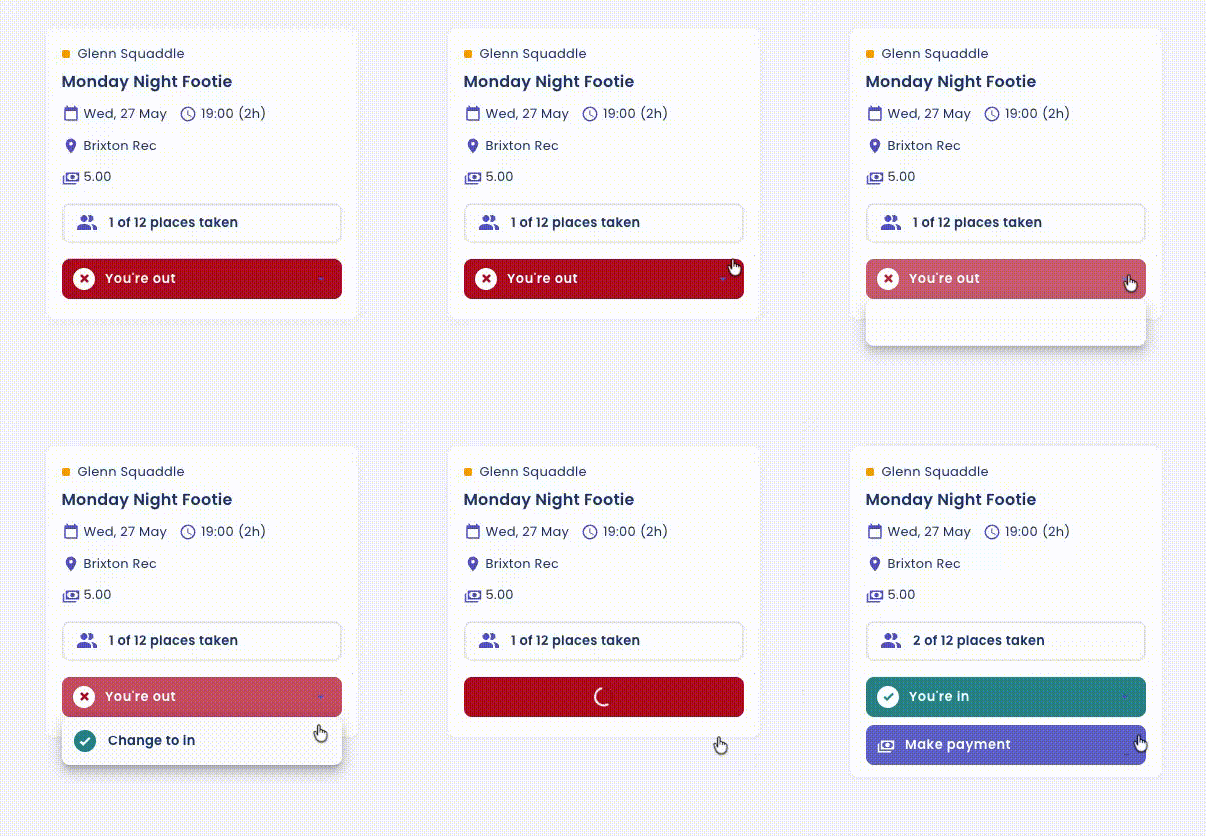
All Squaddle members can sign in at squaddle.co.uk using their mobile number, email address, or Google account.
Can I change my notification settings?
If you have a WhatsApp number and email address associated with your account, you can change your notification preferences in your Account Settings. Squaddle can send notifications to WhatsApp, email, or both.